Despite being over four years old, legendary GeForce GTX 1650 card remains one of the most popular entry-level GPUs in the world, powering millions of rigs.
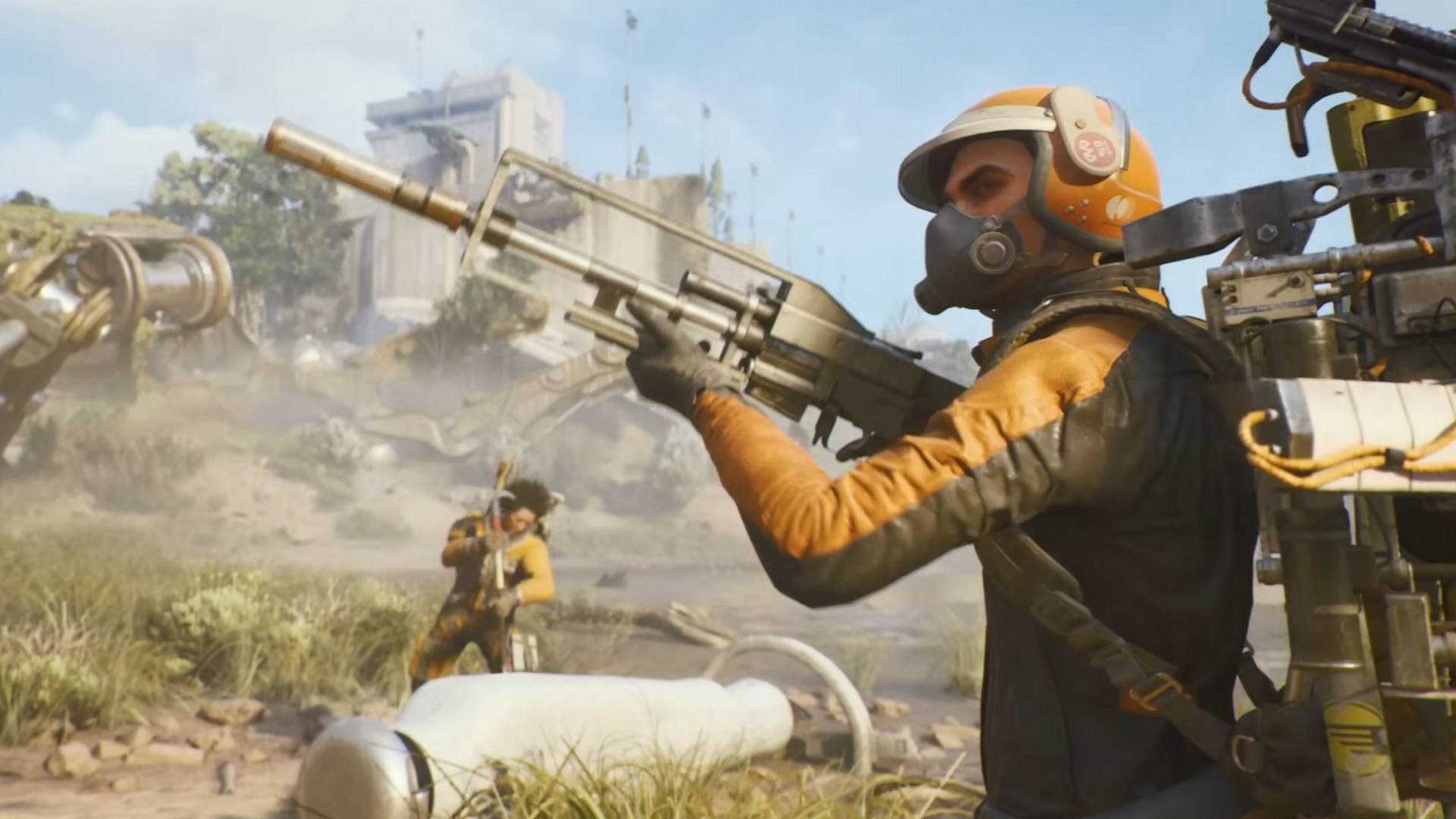
So, can the GTX 1650 handle Arc Raiders in 2026? And more importantly, what settings should you use to keep gameplay smooth at 1080p 60 FPS? Let’s dive into the benchmark results and discover the perfect balance between performance and visual quality.
Test Setup And Specifications

To give you the most accurate picture, I used a Gigabyte GTX 1650 Mini ITX OC (4GB GDDR5) on the latest drivers. I paired it with a powerful Intel Core i5-12600KF and 32GB of RAM.
This might seem like overkill, but it guarantees the CPU isn’t holding the GPU back. So, if you’ve got a decent older Ryzen or Core i5, your results should look very similar to mine.
Starting Point: The 1080p Low Preset
First, I tested at 1080p with the Low preset, 100% resolution scale, and anti-aliasing turned off. This shows you the raw performance you can expect from the GPU itself.
The good news? The GTX 1650 held strong, averaging 60–70 FPS even in more demanding rainy scenes. You might see dips into the 50s in dense, vegetated areas, but overall, the game feels smooth and very playable. For a fast-paced shooter where reaction time matters, this is a solid foundation.
Visually, the Low preset does have clear trade-offs. You’ll notice some pop-in, muddier textures, and shorter draw distances. But turning off anti-aliasing actually gives you a sharper image, which can help you spot enemies more easily—a nice bonus for competitive play.
Stepping Up: The 1080p Medium Preset
If you want better visuals, the Medium preset is worth a look. You get richer shadows, better textures, and a more alive-looking world. The cost? Your average FPS drops to the mid-50s to low-60s, with heavier scenes possibly dipping into the 40s.
There’s a quirk, though: sometimes vegetation and distant objects can look a bit softer on Medium than on Low due to how Unreal Engine 5 handles lighting. It’s a bit counterintuitive, but the visual upgrade up close is usually worth it.
Finding The 60 FPS “Optimized” Settings
After all that testing, I found a custom mix of settings that gives you the best of both worlds—better visuals without sacrificing that smooth 60 FPS target. Here’s my recommended “optimized” profile for the GTX 1650:
| Setting | Recommended Value |
| Resolution | 1080p (100% scale) |
| Anti-Aliasing | Off or TAU (for minimal blur) |
| Post-Processing | Low |
| Textures | Low (to reduce VRAM pressure) |
| Effects | Low |
| Reflections | Low |
| Shadows | Medium |
| Foliage | Medium |
| View Distance | High |
| VSync | Off |
This setup focuses your GPU power where it counts. High View Distance helps with combat awareness, and Medium Shadows look much better without a huge performance hit. With this, you can expect 65-75 FPS in most areas, dipping to a very playable 50-60 FPS in intense forest fights or big battles.
So, can the GTX 1650 handle Arc Raiders? Absolutely. It might be an aging warrior, but with the right settings, it’s still more than capable of delivering a great experience.
VRAM Utilization And Stability
You’ll see Arc Raiders push your 4GB of VRAM pretty hard—usually hovering around 3.6 GB in gameplay. While it might not hit the absolute limit on paper, in practice, your GPU is effectively maxed out.
The good news? This didn’t cause major stuttering for me. To keep it that way, I recommend you:
- Stick with Low textures to avoid memory overflow.
- Avoid upscalers like XESS or FSR unless you’re sure your VRAM has room to spare.
- Keep your drivers updated—Unreal Engine 5 games are sensitive to them.
Anti-Aliasing, Upscalers, And Frame Generation
The game gives you options like TAA, FSR 3, and Intel XESS, but on the GTX 1650, they often cause more problems than they solve.
Here’s how each performs on the GTX 1650:
- TAA / TAU:
- Smooths jagged edges slightly without killing FPS.
- Adds blur to the image, making scenes appear softer or “foggy.”
- Ideal if shimmering edges bother you.
- TSR (Temporal Super Resolution):
- Unreal Engine’s native upscaler that reconstructs frames.
- Produces the blurriest visuals among all AA settings.
- Drops performance to the low 40s FPS range, not recommended.
- FSR 3 Native AA (AMD FidelityFX):
- Decent balancing of smoothness and detail, but introduces micro-stutters.
- Causes FPS to dip from 60 into the high 30s or low 40s.
- Also removes environmental effects like rain in certain cases — likely a rendering bug.
- Intel XESS Native AA:
- Similar to FSR 3, with slightly higher VRAM use (~3.8 GB).
- Causes additional stuttering on GTX GPUs due to lack of hardware adaptation.
- Frame Generation (via FSR3 or XESS FG):
- On paper, boosts FPS to ~90, but introduces severe input lag and motion artifacts.
- The improvement in smoothness doesn’t match the added latency.
- Frequent ghosting and image blur while moving the camera make it unappealing.
My verdict? For the best experience, disable all upscalers and frame generation. Stick with No AA for the sharpest image, or use TAA only if you must smooth out edges.
What About FSR on Quality Mode?
Out of curiosity, I tried FSR Quality, which renders at 720p and upscales to 1080p. It did bump my FPS into a more stable 50–60 range in heavy areas, but the cost was extreme blurriness.
On my 27-inch monitor, details looked smeared and the UI lost sharpness. On a smaller laptop screen, it might be tolerable, but for most desktops, native 1080p is still the way to go.
Gameplay Experience: Smooth, Friendly, And Surprisingly Enjoyable

Performance aside, the gameplay experience on GTX 1650 was genuinely enjoyable. Even while testing, Arc Raiders showcased cooperative and friendly player behavior — multiple spontaneous team-ups against large mechanical threats added to the atmosphere.
Frame drops into the low 50s during dense combat didn’t disrupt input control or movement fluidity. Combat remained smooth, with quick aiming still possible at 45–50 FPS. The GPU maintained consistent thermal performance, never throttling or overheating during extended sessions.
Moreover, Arc Raiders seems well-optimized, especially for Unreal Engine 5 standards. Despite its visually rich environments and real-time dynamic lighting, it maintains respectable efficiency.
Comparing With The Minimum Requirement GPU (GTX 1050 Ti)
Since the game officially lists the GTX 1050 Ti as the minimum required GPU, it’s useful to contextualize results. The GTX 1650 outperforms the 1050 Ti by roughly 25–30%, ensuring a comfortable buffer for 1080p playability.
This suggests that players with a 1050 Ti may achieve 45–55 FPS at Low settings, while 1650 users can push closer to 60+. For more demanding areas, lowering shadows or effects ensures consistent frame pacing.
Final Thoughts: A 60 FPS Target Achieved
After hours of testing across rainy biomes, forested zones, and firefights, it’s safe to say that Arc Raiders is very playable on a GTX 1650 at 1080p. The engine is optimized enough to handle the card’s limitations, and with thoughtful settings adjustments, you can lock in a balanced experience that feels both smooth and visually engaging.
Here’s the final recommendation summary:
| Category | Setting |
| Resolution | 1080p |
| Preset | Custom (Low/Medium mix) |
| FPS Target | 60 average (50–70 range) |
| Anti-Aliasing | Off or TAU |
| Upscalers / Frame Gen | Off |
| VRAM Usage | 3.5–3.8 GB typical |
| Performance Verdict | Stable, minor dips in foliage zones |
| Visual Verdict | Sharp, clear, with good lighting fidelity |
| Playability | Smooth and enjoyable, suitable for budget builds |
If you’re still rocking a GTX 1650 in 2026, Arc Raiders won’t demand an upgrade just yet. Running it at the above configuration will keep you close to that golden 60 FPS mark while preserving competitive visibility and responsiveness.
With most new Unreal Engine 5 games being far tougher on midrange GPUs, Arc Raiders stands out as a shining example of solid optimization and scalability — proof that even mid-tier hardware can still bring big games to life beautifully.