
Android data recovery software isn’t something most people install unless they genuinely need it. That also makes it one of the harder software categories to evaluate fairly. We spent time testing Stellar Data Recovery for Android across a range of common recovery scenarios to understand how it performs in real-world use, rather than relying solely on its feature list. Here’s what we found.
Installation & Getting Started
Stellar Data Recovery for Android is available for Windows and the installation process takes only a few minutes. There are no unnecessary add-ons or complicated setup screens, which makes getting started fairly straightforward.
Once installed, the software presents four recovery modules:
- Recover Android Data
- Recover WhatsApp Data
- Recover WhatsApp Business Data
- Recover Google Drive Data
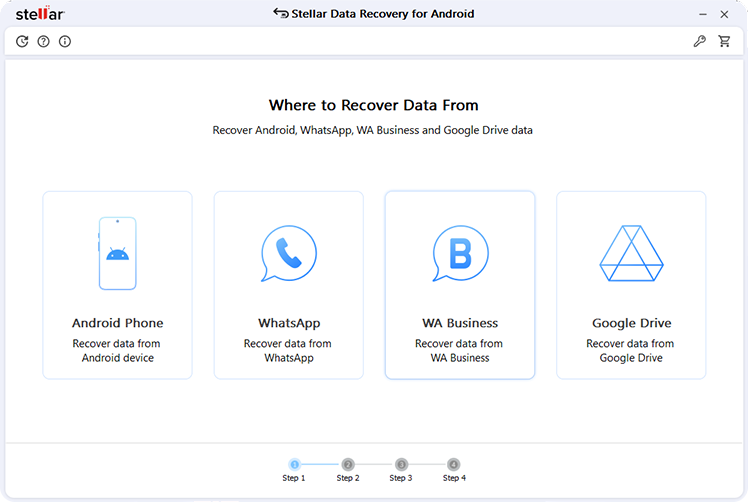
For this review, our primary focus was Android Data Recovery, since that’s where most users are likely to spend their time.
One thing we appreciated immediately was the transparency around the free version. Instead of simply allowing a scan, Stellar lets users recover up to 10 photos or videos (up to 10 MB per file) without purchasing a license. It’s a practical way to test the software before deciding whether the paid version is necessary.
Device Setup
Like most desktop based Android recovery tools, USB Debugging must be enabled before scanning begins.
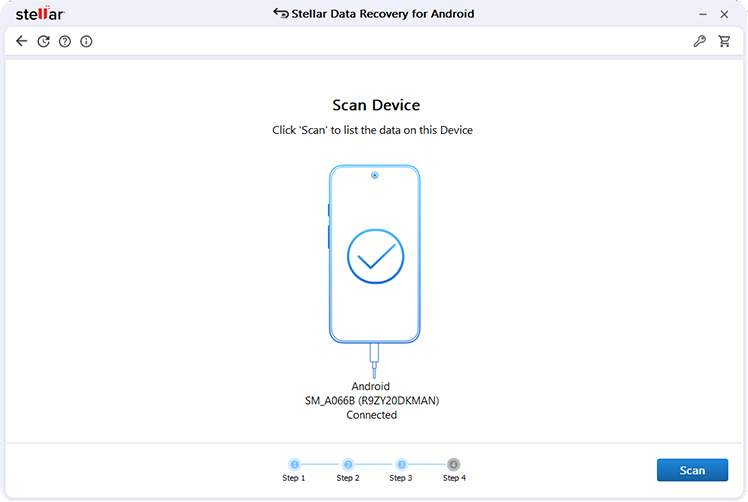
The process itself isn’t difficult, but first-time users may need a few minutes to enable Developer Options and USB Debugging. Thankfully, Stellar provides on-screen instructions for popular Android manufacturers, making the setup process much easier than expected.
Our devices were detected consistently throughout testing, and we didn’t encounter any unexpected connection issues once USB Debugging was enabled.
Recovery Experience
Before scanning, Stellar allows users to choose exactly what they want to recover instead of searching every category.
Supported data types include:
- Photos
- Videos
- Audio
- Contacts
- Messages
- Call History
- Documents
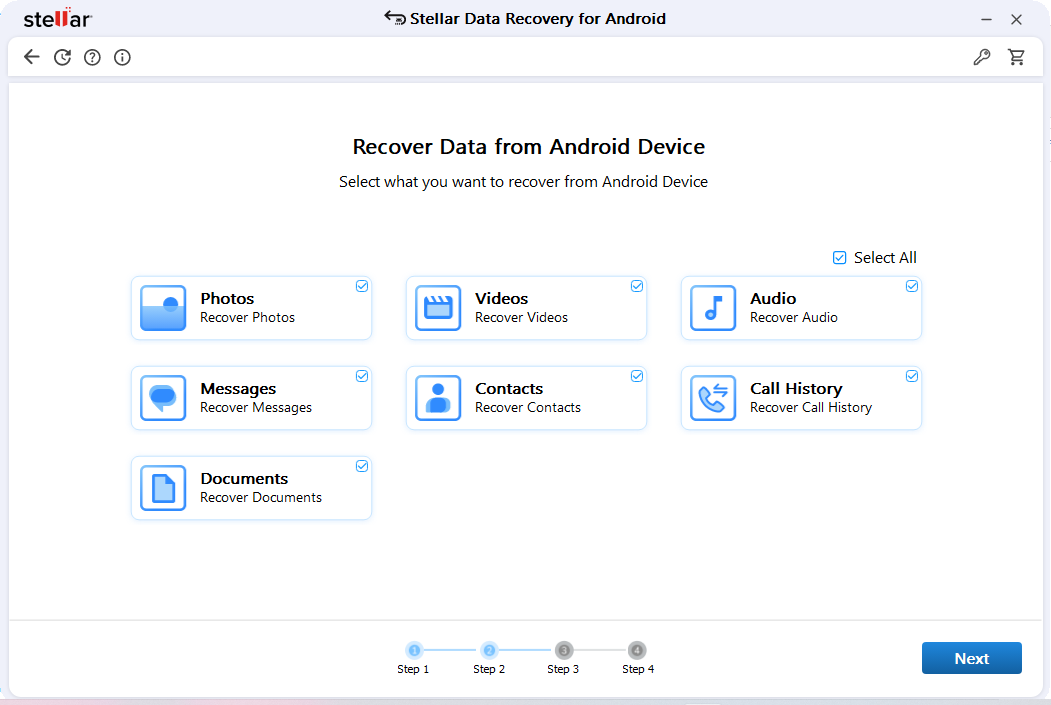
Being able to narrow the scan makes the experience feel more focused, especially if you’re only trying to recover a handful of deleted photos or an important document.
Scanning time naturally depends on device storage and the amount of data being analyzed, but progress is clearly displayed throughout the process.
Preview Before Recovery
One feature we found particularly useful is the ability to preview recoverable files before saving them.
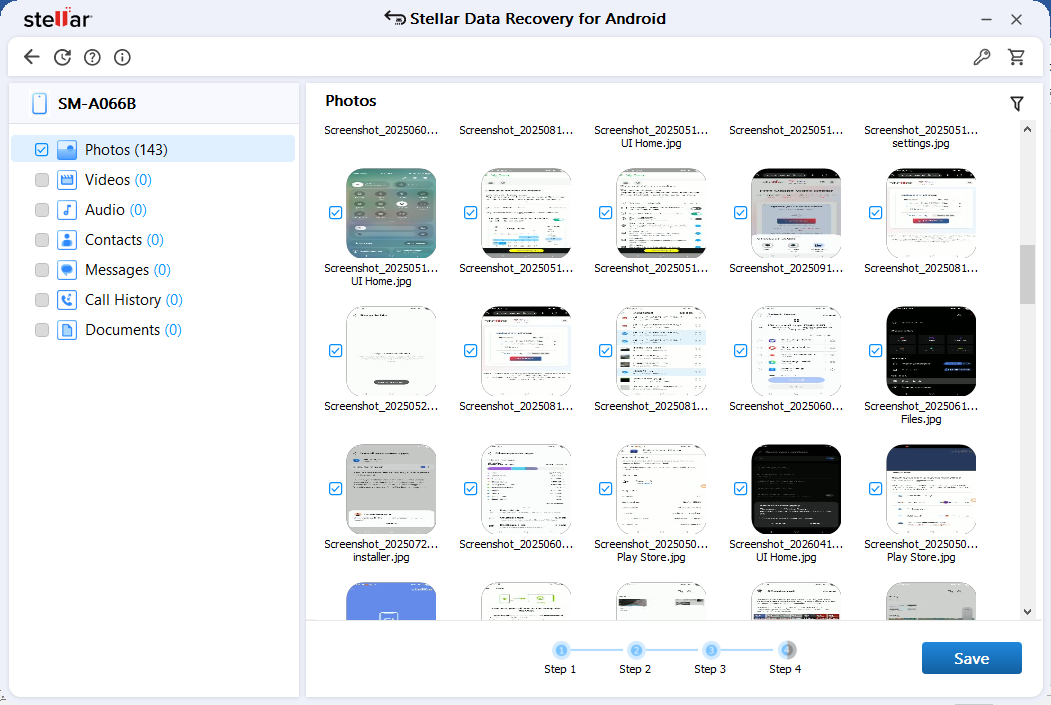
Photos appear as thumbnails, while other file types are organized into their respective categories. This makes it much easier to verify whether the files you’re looking for are actually recoverable instead of blindly purchasing a license.
For recovery software, that extra layer of confidence is genuinely valuable.
Free Version vs Paid Version
Many Android recovery applications advertise a “free download,” but often restrict actual recovery until after payment.
Stellar takes a slightly different approach by allowing users to recover 10 photos or videos for free, provided each file is under 10 MB.
For someone who accidentally deleted a few recent photos, that may be all they need. Users with larger recovery requirements can upgrade to unlock unlimited recovery and additional features.
Compatibility
During testing, Stellar worked with modern Android devices without requiring root access.
The software currently supports:
- Android 6 through Android 16
- Samsung
- Google Pixel
- OnePlus
- Xiaomi
- OPPO
- vivo
- Motorola
- Huawei
- Other major Android brands
Considering how fragmented the Android ecosystem is, broad compatibility is definitely one of Stellar’s stronger points.
What We Liked
- Clean and easy-to-understand interface
- No root required for supported recovery scenarios
- Ability to preview files before recovery
- Free recovery of up to 10 photos or videos
- Supports WhatsApp, WhatsApp Business, and Google Drive recovery
- Wide Android device compatibility
Where It Could Improve
– No recovery software is perfect, and Stellar has a few limitations users should know before downloading.
– The software currently works only on Windows, so Mac users will need access to a Windows PC.
– USB Debugging is also required, which may feel unfamiliar if you’ve never enabled Developer Options before.
– Finally, it’s worth remembering that recovery success always depends on factors like Android’s security mechanisms, how recently the data was deleted, and whether new data has overwritten the deleted files. Those limitations apply to virtually every Android recovery solution available today.
Pricing
Stellar offers three editions depending on how much functionality you need.
The free edition is suitable for testing and recovering a limited number of files, while the paid editions (starting from $29.99) remove recovery limits and unlock additional capabilities for users with larger recovery requirements.
Since the software allows actual recovery in the free version, it’s easier to evaluate before making a purchase, which is something we’d like to see more often in this category.
Final Verdict
Android recovery software is difficult to judge because no application can promise successful recovery in every situation. The condition of the device, Android version, and how long ago the files were deleted all influence the final outcome.
With that in mind, Stellar Data Recovery for Android leaves a positive impression. The software avoids unnecessary complexity, guides users through the recovery process step by step, and offers enough functionality in its free version to determine whether recovery is possible before asking users to invest in a license.
If your goal is recovering deleted photos, videos, contacts, messages, or documents without rooting your phone or learning advanced recovery techniques, Stellar Data Recovery for Android is a practical and approachable solution that’s well worth considering.


